
Unexpected Windows restarts are frustrating for anyone in the middle of important work. For businesses, they can also mean lost time, interrupted workflows, and avoidable support requests.
At Network Thinking Solutions, Windows patch management supports more than 40 clients and 1,300 devices. Keeping those devices current is essential for security, but the process had two recurring challenges:
Users often didn’t know when updates were scheduled.
Technicians spent significant time identifying the correct client and user for each device.
To address these challenges, Salman Khan, one of our developers, built a platform that connects and improves the patch-management process end to end. This post covers how it works and what it means for our clients and our team.
What the platform does
The platform connects Datto RMM, the tool used to monitor and manage devices, with Autotask PSA, where tickets, client records, and contacts are managed. Previously, the two systems didn’t share information in a way that supported the full patch-management workflow.
Now, each device can be connected to the right client, sub-client, and user. That foundation enables several improvements:
Clients receive patch notifications based on their own schedules and local time zones.
Technicians have a live view of patch status across every client.
Remote-session tickets open with the correct client and contact already attached.
The platform was built with Lovable, React, TypeScript, Tailwind, shadcn/ui, and Supabase. The technology matters, but the real value is the experience it creates for clients and technicians.
How the patch-management platform works
Clear ownership for every client
Each client has one or more assigned technology owners, shown as color-coded name tags. Their job is to make sure device assignments are complete and patch-management coverage stays at 100%.
Client ownership is distributed fairly by device count, with shared clients weighted across their assigned technicians. Technicians can filter to “My Clients” to quickly review coverage, pending updates, and upcoming patch dates.
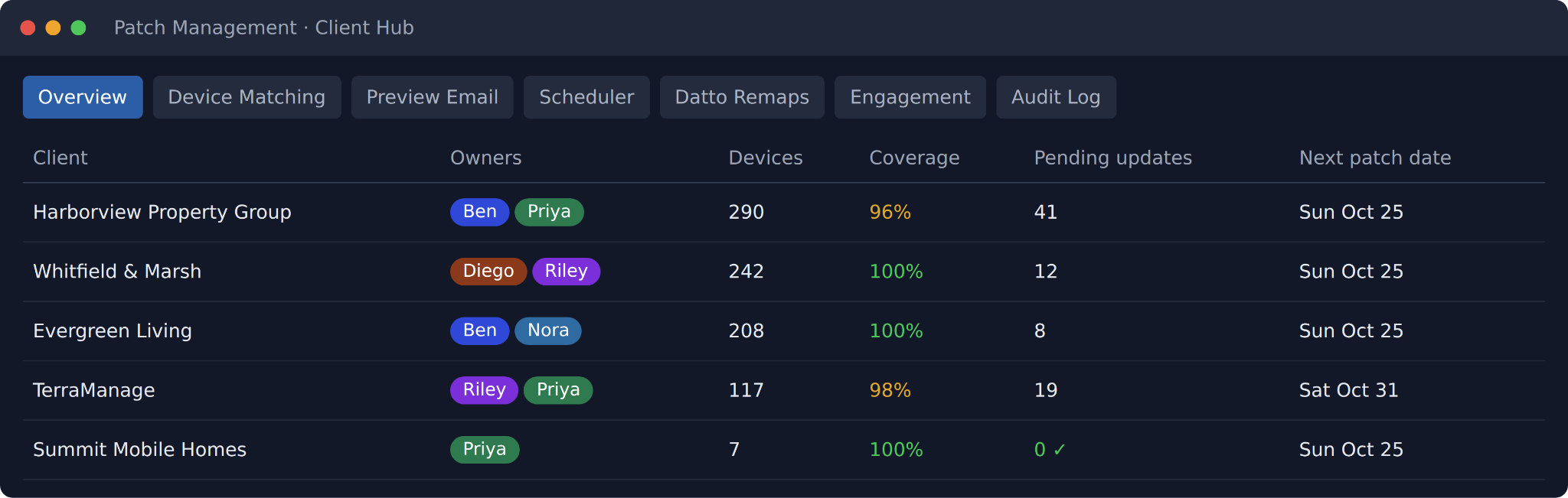
The Client Hub shows each client’s owners, device count, coverage, and next patch date.
Smart device-matching suggestions
Connecting a device to the correct person used to mean searching through records by hand. The Device Matching screen now looks at the last logged-in user, hostname patterns, sub-client codes, and past assignments to find the most likely Autotask contact.
Each potential match gets a confidence score. A technician can confirm the top recommendation in one click or pick another contact. Every correction is saved to improve future suggestions. Technicians can also leave device-level notes, such as when a user has left the company, so that context stays visible until it’s resolved.
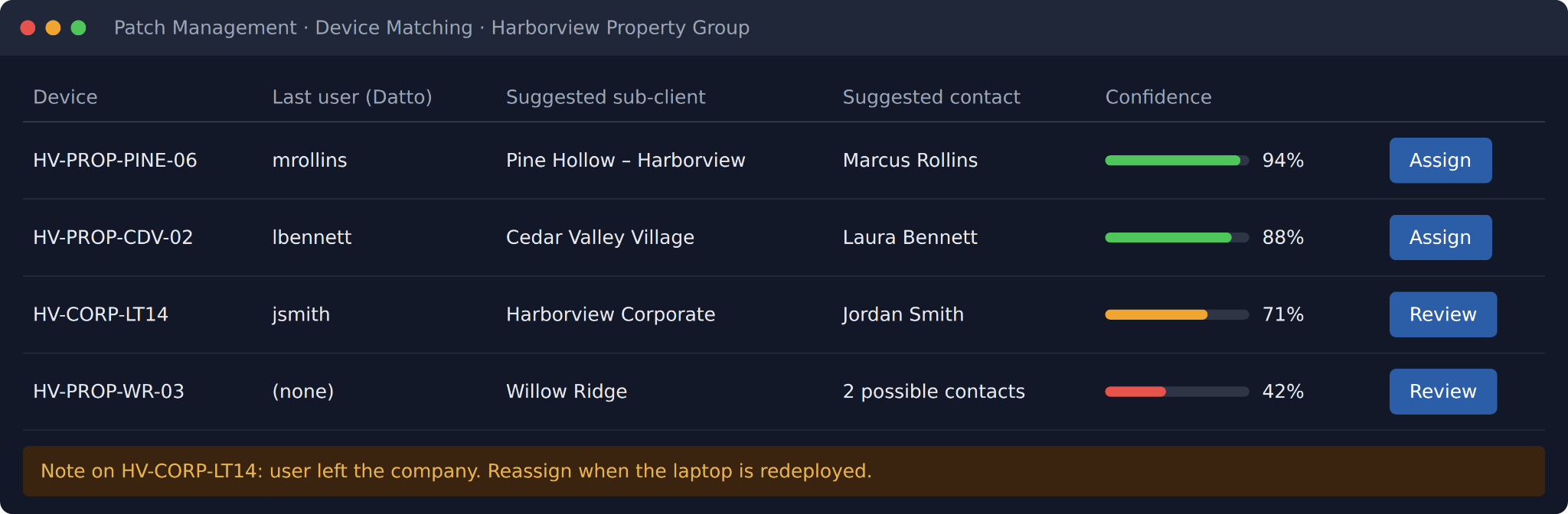
Suggested matches are ranked by confidence, with notes for devices that need follow-up.
More accurate Autotask tickets
Once a device is assigned, the platform creates or reuses the right configuration item in Autotask under the correct sub-client and links it to the user’s contact. Datto RMM is then connected to that same record, so the device is represented consistently in both systems.
The result: when a remote session opens or closes, the Autotask ticket already includes the correct client and contact. Technicians don’t need to look it up separately.
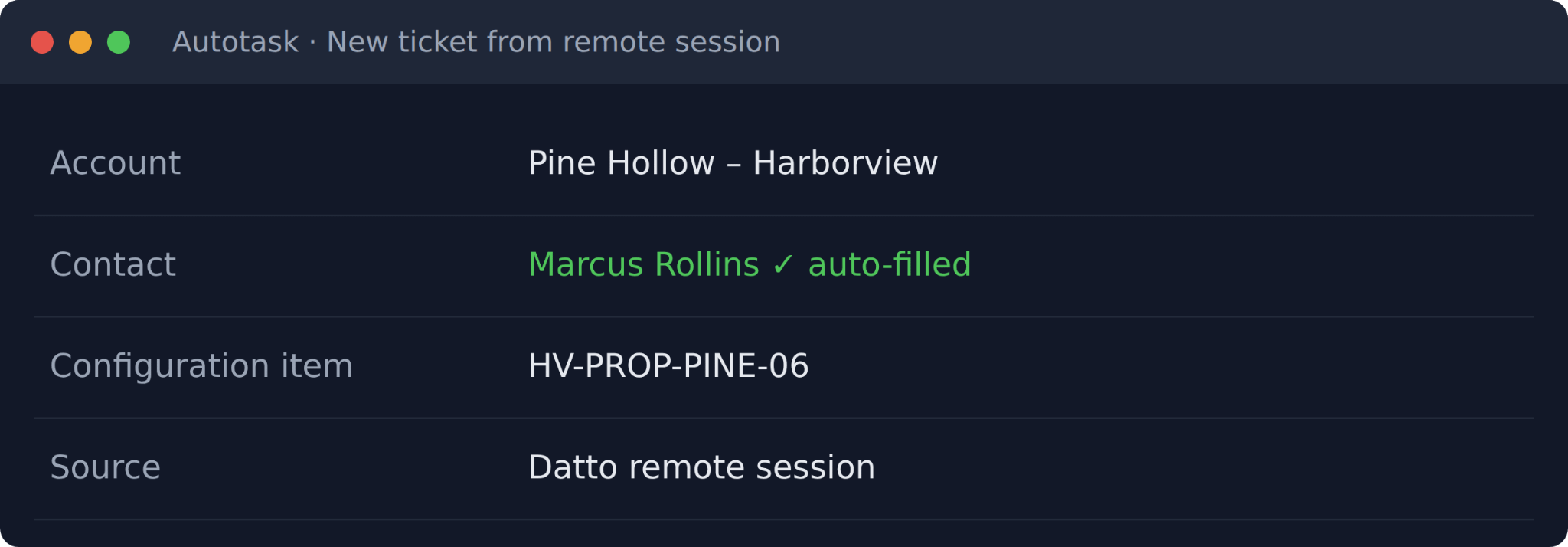
Tickets from remote sessions open with the account and contact already filled in.
If Datto RMM is still pointing at an outdated record, the device shows up on a Datto Remaps list for follow-up.
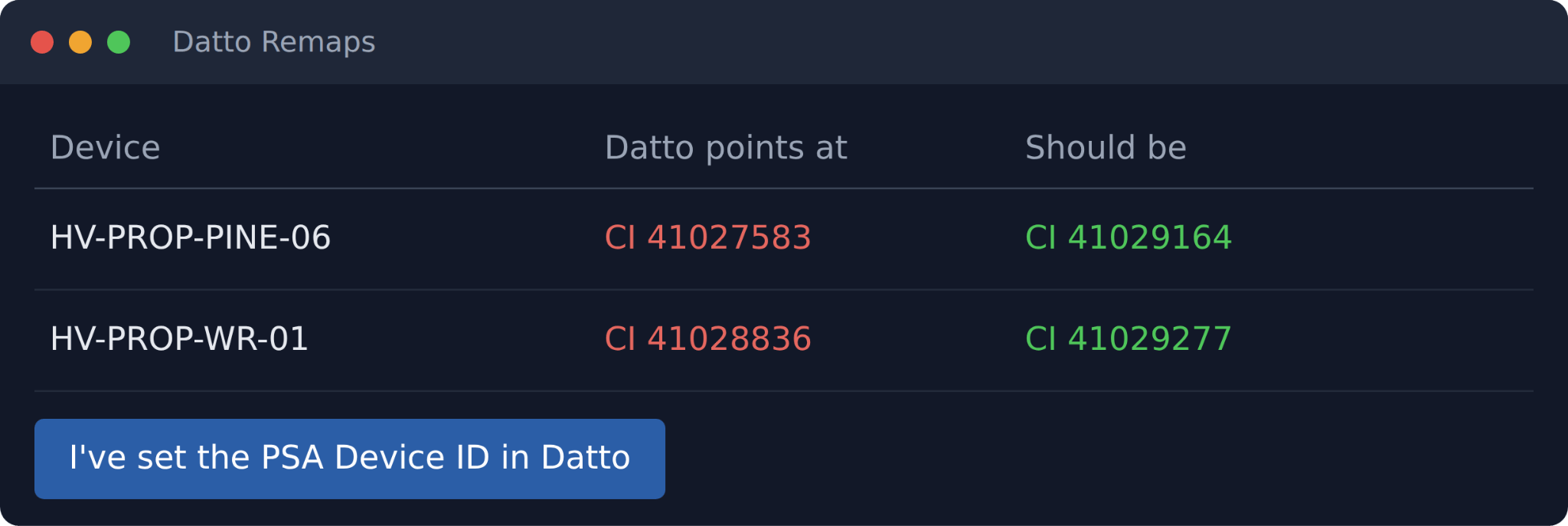
The Datto Remaps list flags devices still pointing at the wrong record.
A centralized health dashboard
The Device Health dashboard brings patch status for every client into one place. It shows which devices are fully patched, which have pending updates, which need attention, and how complete each client’s coverage is.
Each device shows its number of waiting updates (or a green check when it’s fully up to date), with a direct link to its record in Datto RMM.
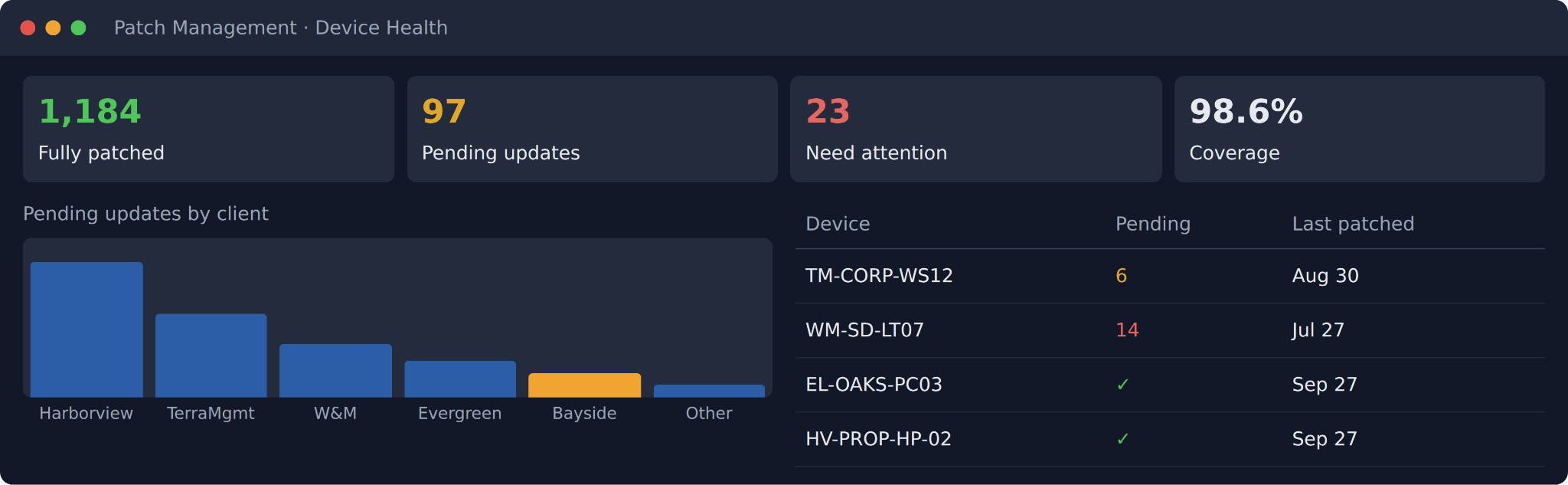
One view of patch status across every client.
Schedules based on real patch windows
Every client gets a schedule built around its actual patch window. For example, a client that patches on the last Sunday of each month can automatically notify users on the Friday before.
The scheduler handles time zones, shows upcoming activity on a calendar, prevents duplicate notifications, retries failed sends, and lets recipients opt out with one click.
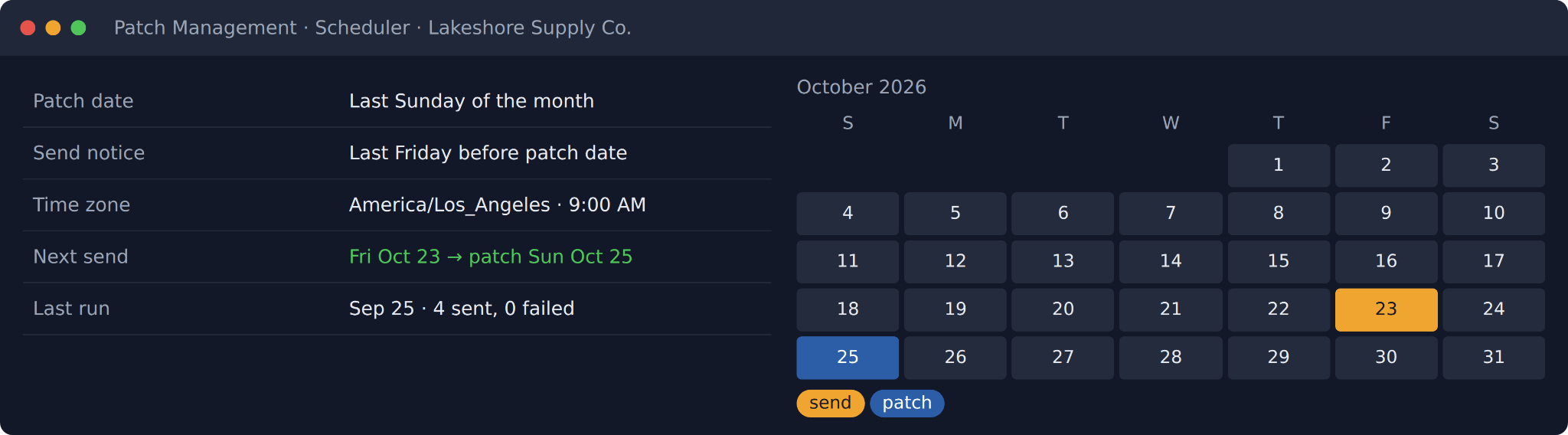
Notices are sent automatically ahead of each client’s patch date.
Patch notifications users can understand
Each client receives branded patch notification emails customized to its preferences. They include the patch date, local installation time, affected device, and any actions the user may need to take.
Instead of an unexpected interruption, users get advance notice and know what to expect.
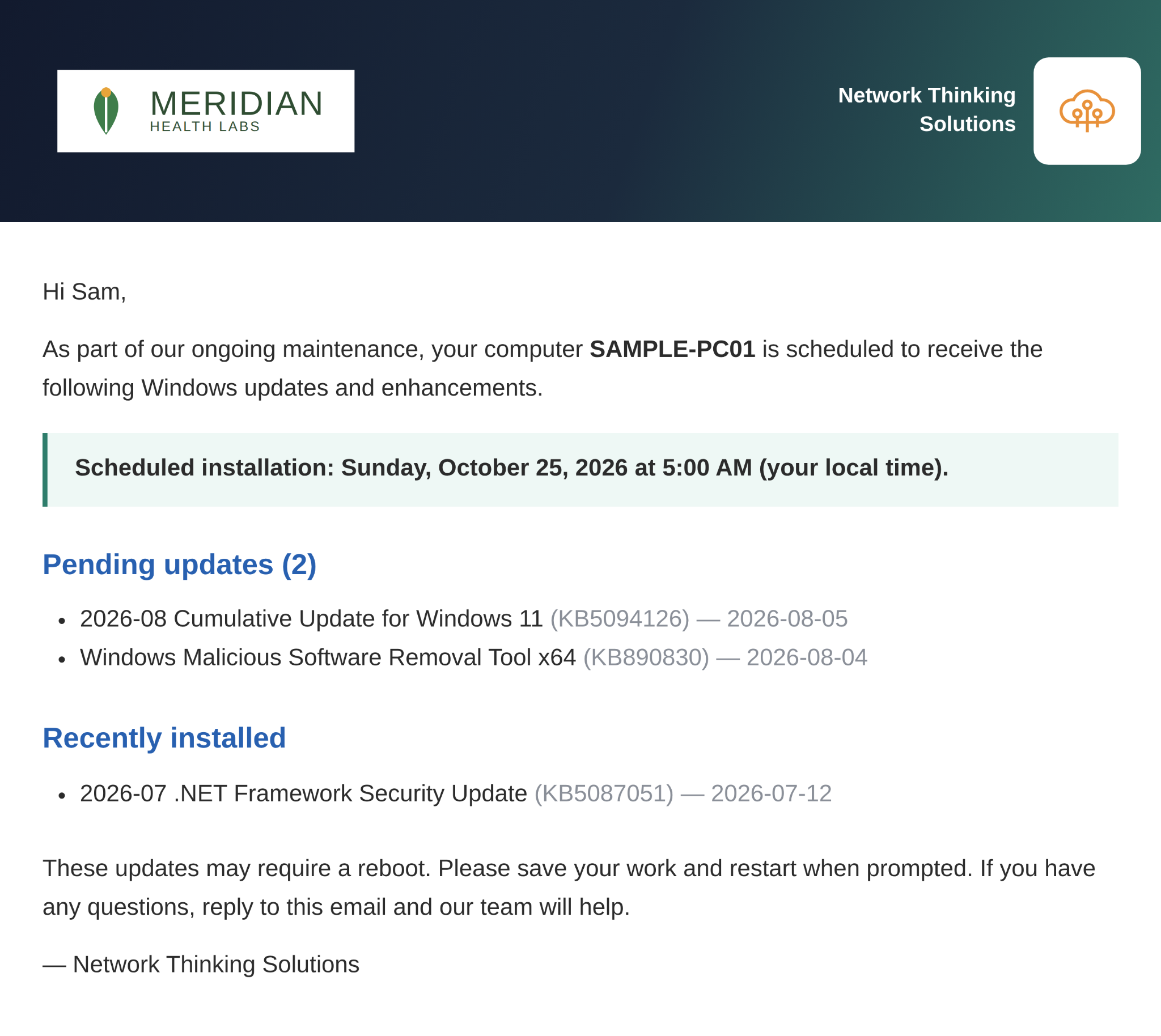
A sample patch notice, sent in the user’s local time zone.
Visibility into email engagement
The Engagement tab shows whether each patch notice was opened, organized by client and recipient. An unopened or failed notice can point to an outdated contact record, which gives the assigned owner a clear next step.
Owners receive a weekly summary of failed sends with direct links to update the related device or contact. The platform also sends coverage alerts and reminders before patch day.
Where AI came in
AI played an important role in speeding up development. Using Lovable, an AI-powered development tool, let the project go from an initial idea to a working internal tool much faster than a traditional timeline would allow.
AI also powers Device Matching. The Top Suggestion feature weighs information from Datto RMM, Autotask PSA, device names, last logged-in users, and location data together, then ranks the most likely client and contact. When a suggestion is wrong, a technician can use the Teach button to provide the right answer. That feedback is saved and used to improve future suggestions.
AI adds value here not by replacing technicians, but by reducing repetitive lookup work so the team can spend more time on issues that need human judgment.
Why this matters for clients
The platform turns patching from a manual, reactive process into one that’s automated, visible, and easier to manage. When every device is connected to the correct client, sub-client, and user, patch notifications are more accurate, compliance reporting is more reliable, and Autotask tickets have better information from the start.
For clients, that means fewer surprise restarts and less unnecessary downtime. Users get advance notice before updates install, and there’s more visibility into how devices are maintained and secured.
For the NTS team, it means less time on data entry and manual record matching, and more time for work that truly needs a technician.
Credit goes to Salman for leading the development of this platform, and to the NTS team for putting it into practice across our patch-management process.
If you’re a client who recently received a patch notification email, this is the system behind it. For questions about Windows patch management or how NTS helps keep devices secure and current, please reach out.
All app screens shown in this post are recreated with sample data, not real client information.