

Keeping track of Microsoft 365 licenses across multiple clients used to take a lot of manual work.
We had to pull reports, compare information from different systems, and make sure nothing was missed.
Our own Lucas Finley changed that. He built a direct integration with Synnex, the distributor we use for Microsoft 365 licenses, that pulls every client’s license data into our internal systems automatically.
That gives us a clearer view of what each client has and what’s changing over time.
This turns license management from a reactive, monthly scramble into an ongoing, automated safety net.
Clients stop paying for seats they don’t use. We catch billing changes before they become a surprise. And our team spends less time on manual vendor admin and more time on the client relationship.
Here’s what Lucas’s integration unlocks for our clients and our team.
What the Integration Unlocks
Renewal Radar
Renewal Radar helps us find licenses that a client is paying for but not using.
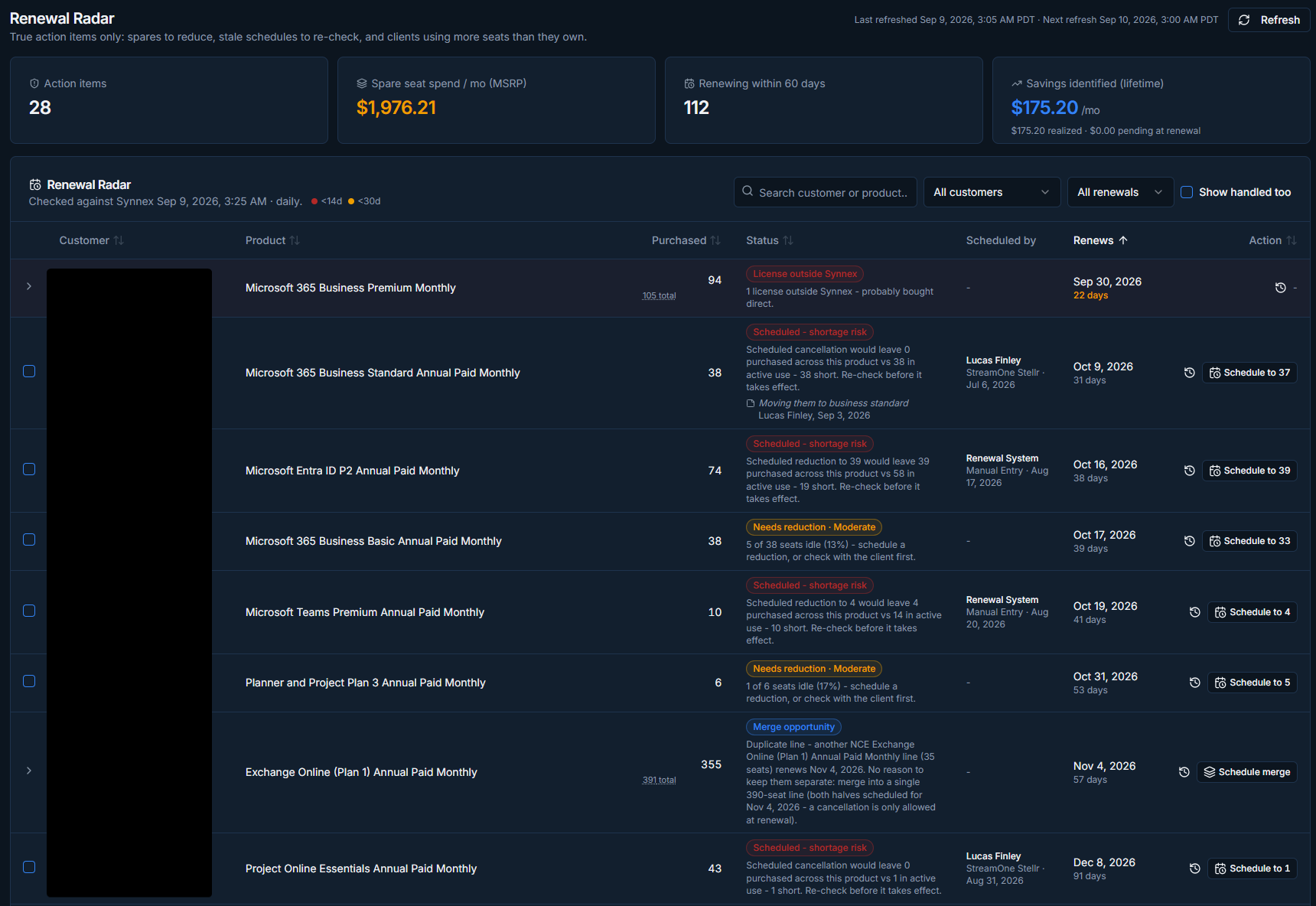
It checks subscriptions for unused seats before they renew, whether the plan renews monthly or annually. If we find seats that are no longer needed, we can reduce them before the client pays for another renewal period.
It can also point out licenses a client may have purchased directly from Microsoft. Those purchases aren’t always easy to spot. Instead, they show up as a difference between the licenses we manage and the licenses being used.
Looking for those differences helps us make sure we have the full picture.
The tool also tracks Microsoft’s seven-day refund window for new licenses. If a seat is added and then isn’t needed, it may be possible to remove it within seven days, even on an annual plan.
Since that deadline isn’t clearly displayed in Microsoft’s portals, we track it ourselves.
Price List and Quotes
We keep Microsoft 365 pricing for both monthly and annual plans in the tool.
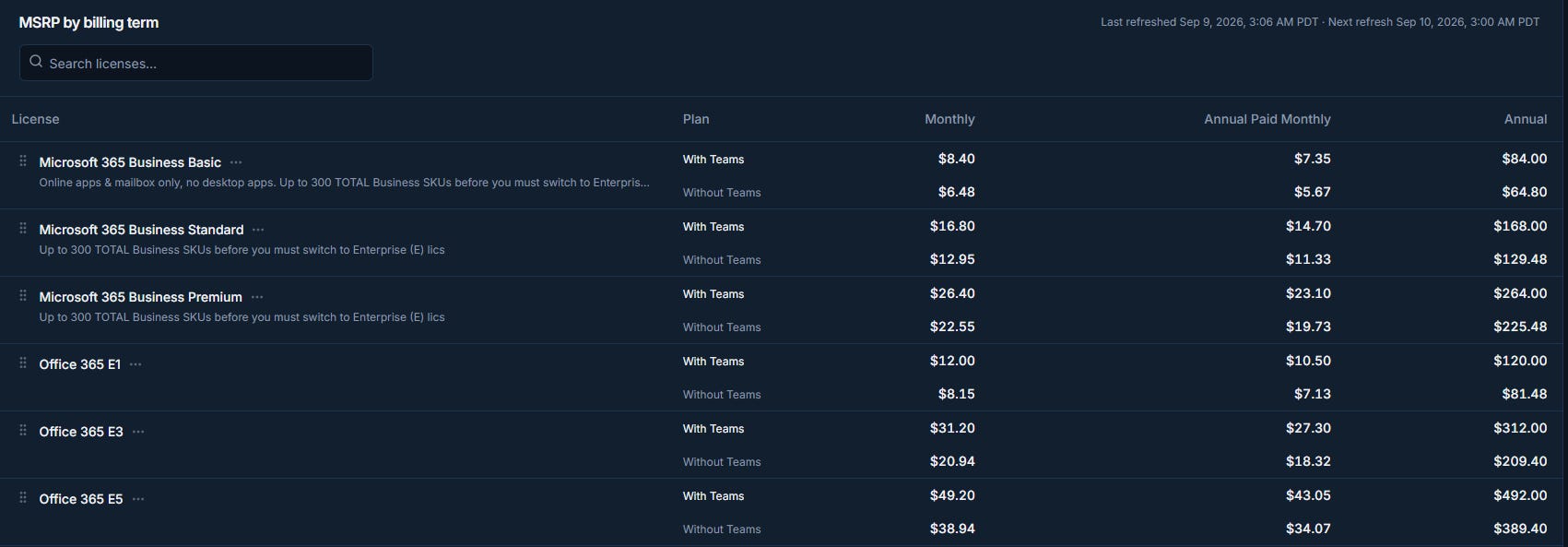
When a client asks for pricing, our team can pull up the current rate without checking a separate system.
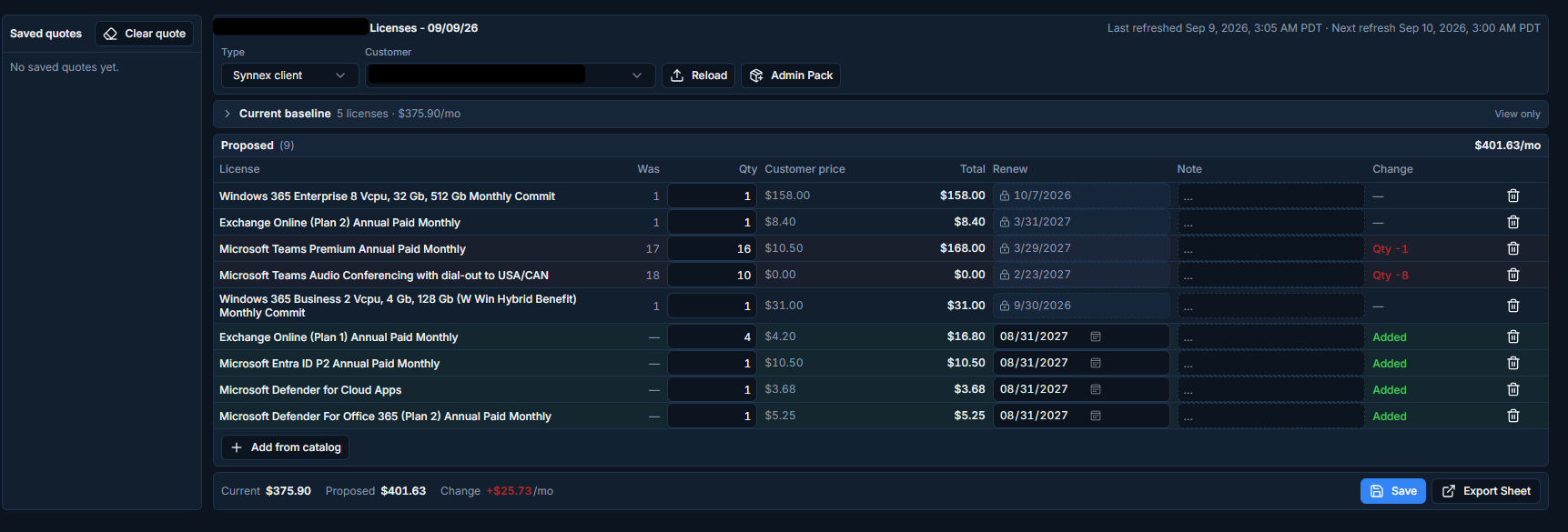
They can also create and save quotes from that pricing. That makes it easier to get proposals to clients quickly and helps avoid quoting an outdated price.
License Manage
License Manage is where we handle everyday license changes.
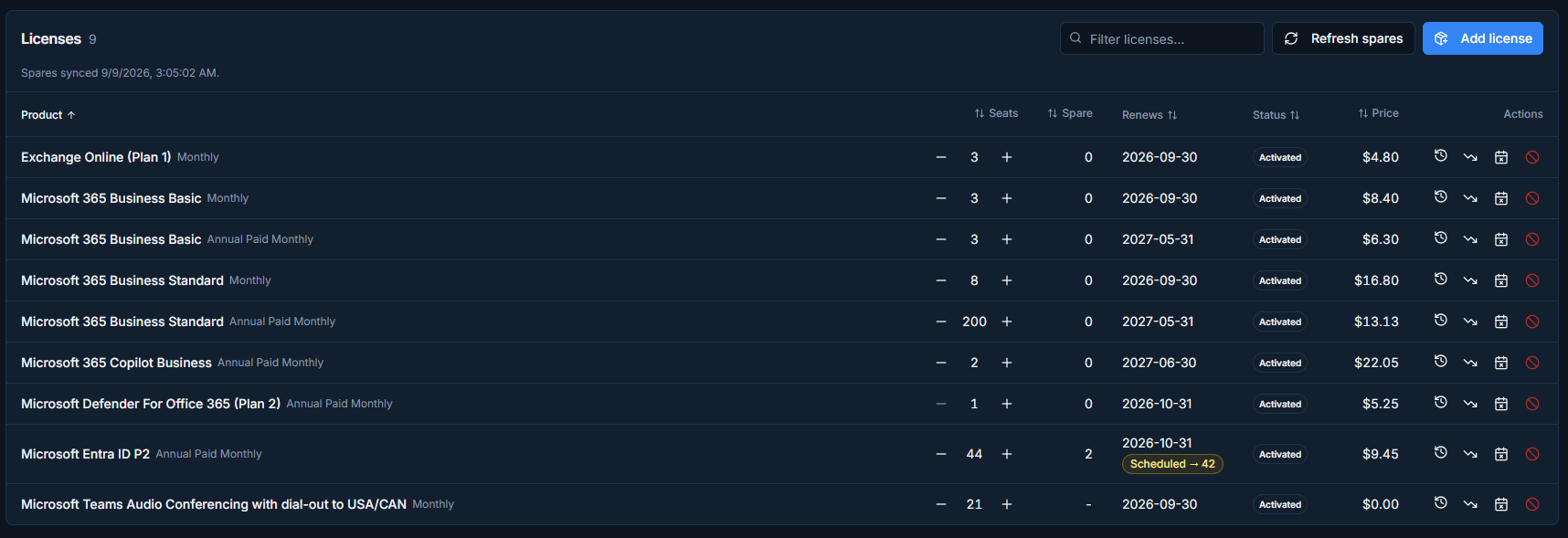
Our team can add or remove seats, check who has a license assigned to them, and review the history of a subscription.
Before this, that meant switching between the Synnex portal and Microsoft admin centers. Having it all in one place makes those changes easier to manage.
Activity Log
Every license change is recorded in one activity log, including seats that are added, removed, or reduced across all of our clients.
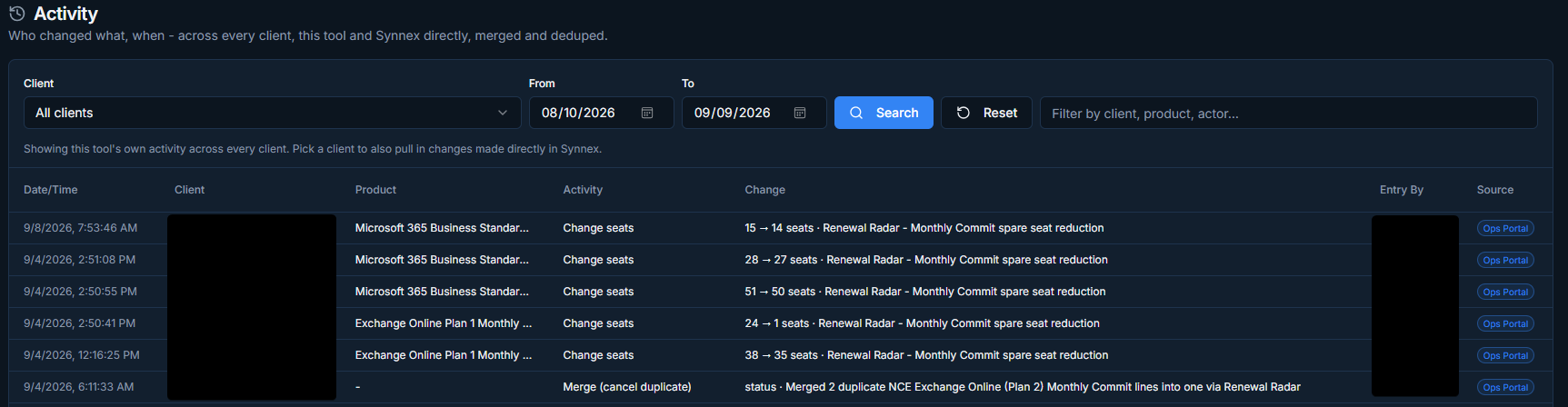
If a client asks why their bill changed, we can look back at the activity log instead of searching through emails or piecing together portal history.
Why It Matters
The integration helps us catch unused licenses, stay on top of changes, and answer client questions faster.
It also cuts down on manual tracking, which gives our team more time to focus on clients instead of the admin work behind their subscriptions.
This integration was designed and built in-house by Lucas Finley, who developed the Synnex connection and every tool described above.
Questions? We’re Here to Help
Curious whether you’re paying for Microsoft 365 licenses you don’t need?
We’re happy to take a look.
Visit us at networkthinking.com to reach our support team, and we’ll help you get the most out of your subscriptions.