
Nitro PDF Pro Shows Trial Expired? Sign In Again
Recognize the Issue
A common support scenario is opening Nitro PDF Pro and seeing 0 DAYS LEFT, Your trial has expired, or Expired Trial even though your organization already provides a license. The top-right corner may show Log In, and licensed editing tools may be unavailable.
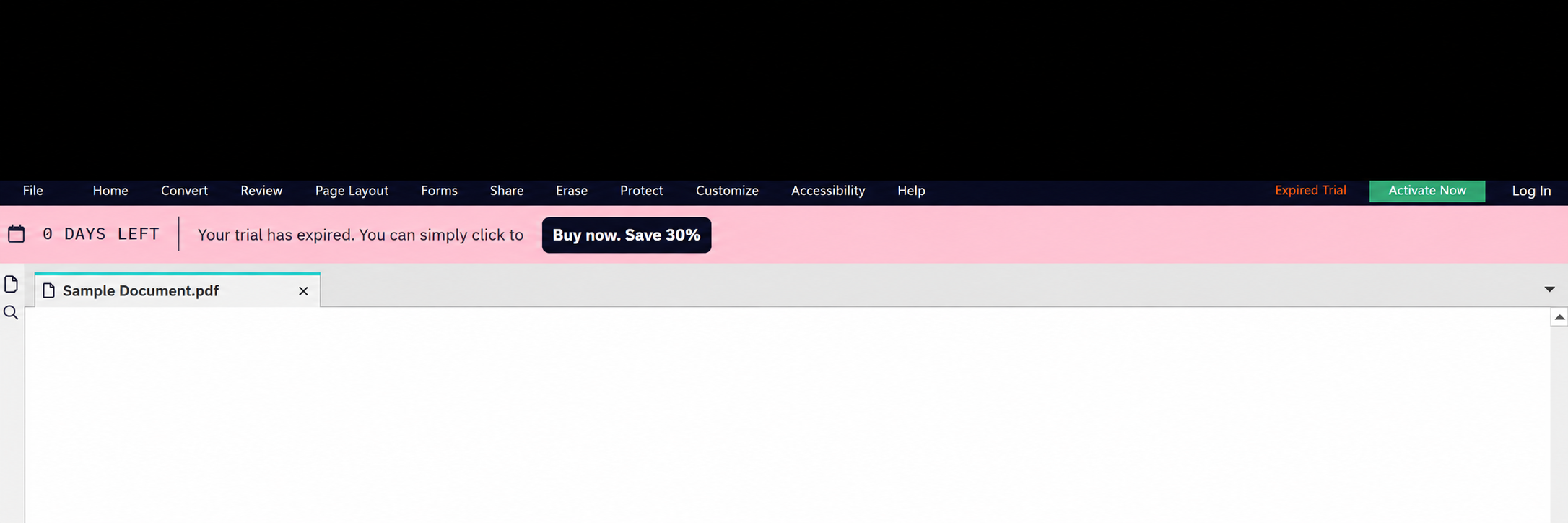
For users with an assigned account-based license, being signed out is a reason to check first: Nitro needs the licensed account to restore access. The banner alone does not establish that your organization's subscription has expired.
This guide covers Nitro PDF Pro for Windows with account-based licensing. Serial-number and license-file deployments use different activation methods.
Fix: Sign Back In to Nitro
If Nitro already shows you as signed in, confirm the account is the licensed work account. Save your work before signing out and back in to refresh that account's activation.
Why the Serial-Number Window Can Be Confusing
The Activation Assistant shown below asks for a serial number. That is a different activation path from signing in with an assigned Nitro account.
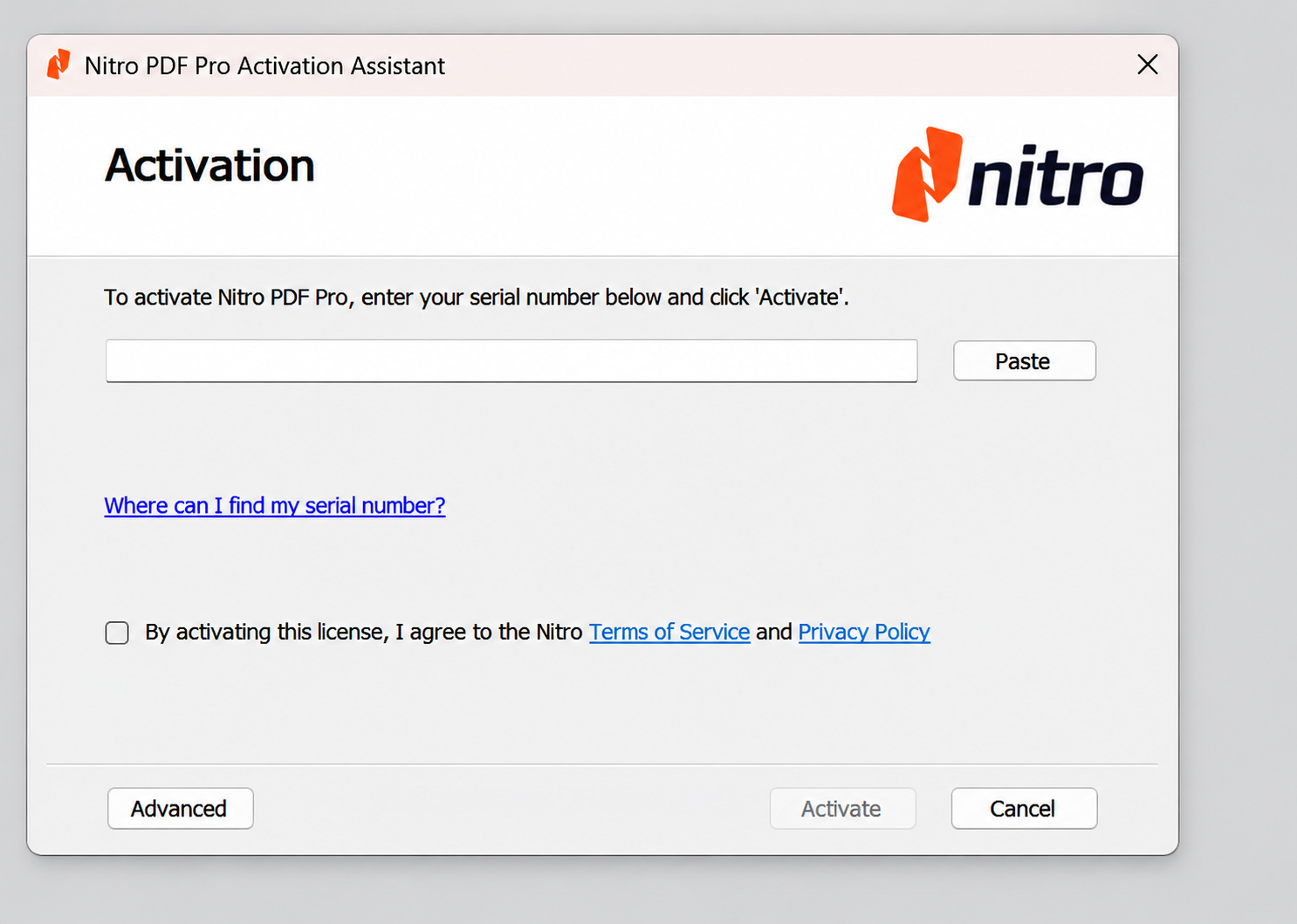
If your organization uses account-based licensing, cancel this window and use Log In. If IT confirms that your installation uses a serial number or license file, follow your organization's activation instructions instead; signing in alone may not activate that edition.
If you already have a company-provided license, ask IT to check it before entering a serial number or buying another license.
If Signing In Does Not Restore Access
Contact NTS Support with the Nitro version, exact message, whether you can sign in, and whether one or multiple users are affected. Share account details only through your private support channel.
Screenshot Privacy and References
The illustrations in this article were edited for privacy. The document tab uses a generic filename, and the PDF content behind the activation dialog has been removed.
Before sharing your own screenshot, remove client or property names, document titles and contents, email addresses, usernames, file paths, and any serial numbers or license keys. The empty serial-number field and standard Nitro branding in these examples do not identify a user.
Nitro's activation guidance: https://www.gonitro.com/user-guide/pro/article/activation
Nitro's troubleshooting guide for access that remains restricted after login: https://www.gonitro.com/user-guide/nitro-pdf-pro-remains-in-expired-trial-or-reader-mode-after-you-log-in